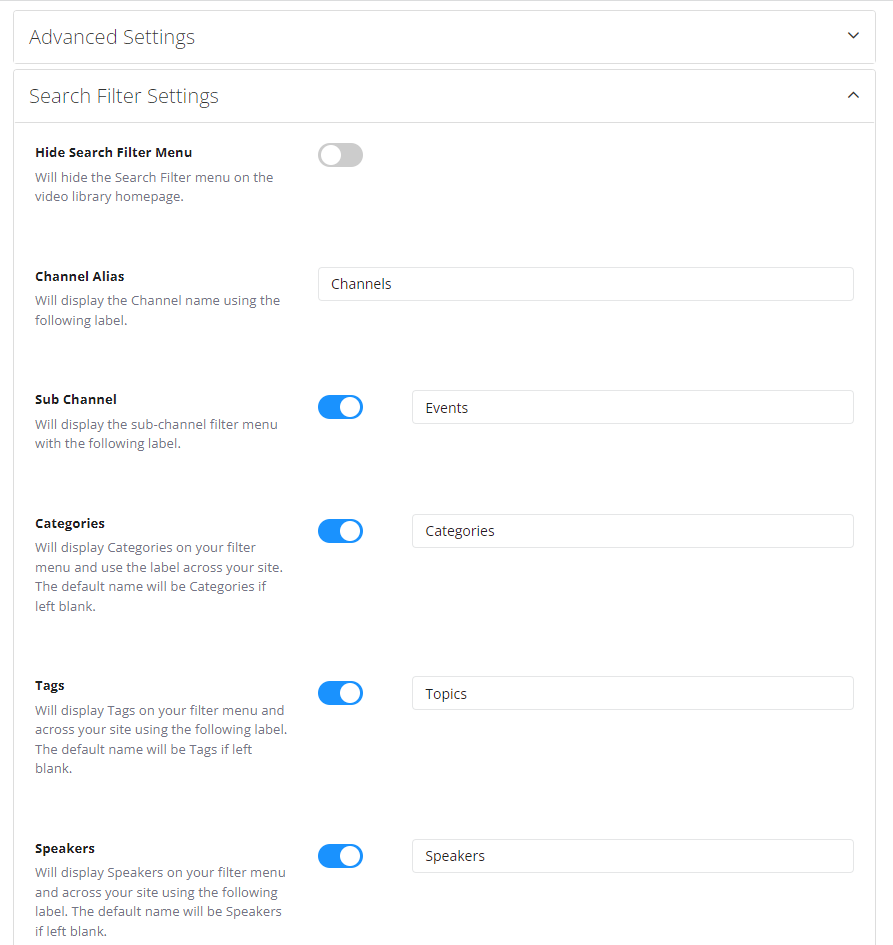
Your video library has a filter menu to allow your viewers to search and filter through difference channel, categories, speakers and other video content and types.
From the webcastcloud admin, you can modify what search filters are available to your viewers.
Follow the steps below to modify the search filters and their label.
Steps
- In Admin, browse to Layout >Video Library
- Select Video Library Settings tab
- Select Search Filter Settings collapsible menu
- Hide Search Filter Menu: The menu can be turned on or off entirely. If its off, the filter will not be on your vide library homepage.
- Enable: Each of the search filters below can be turned on/off including: Channels, Sub-Channels, Categories, Tags, Speakers.
- Label: Beside each setting, you can set a label for you filter. for example, Categories can be labelled Topics. On the front-end, all references to Categories will use the label you set here.
- Save