A private channel is a channel page and its video contents that is only viewable via a specific group (member list). A private channel and videos will not appear on the video library or within the search filter unless the member has access to the channel.
Steps
To make an existing channel private
- Browse to Video Channels >Channels >Select channel menu >Edit
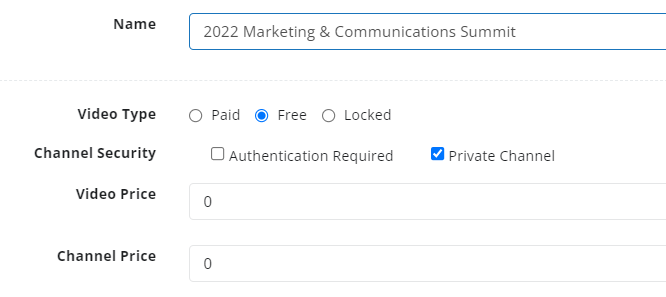
- From Channel Security, select Private Channel
- Save
The channel will no longer displayed on your video library homepage or search filter, and the channel page URL and videos will now be marked private.
Create a Private Channel
- Browse to Video Channels >Channels >Add Channel
- Enter Channel Name
- Select whether the videos in the channel are Paid, Free or Locked by default.
Learn more about Channel Creation and Video Types - From Channel Security, select Private Channel
- Save
Provide a Member Access to a Channel
The following article walks through how to assign a Member List to a channel using Packages.
Create a Package to assign access to a Channel
What are Private Channels used for?
Private channels are used for a variety of different scenarios
- An event that you do not want displayed on your video library, and delegates can only access the event directly via an event registration page
- A channel that is currently being setup and designed, and your channel or videos are not ready to be launched.
- An internal channel of videos that are only accessible to staff within your organizational
- A testing folder for your live streams